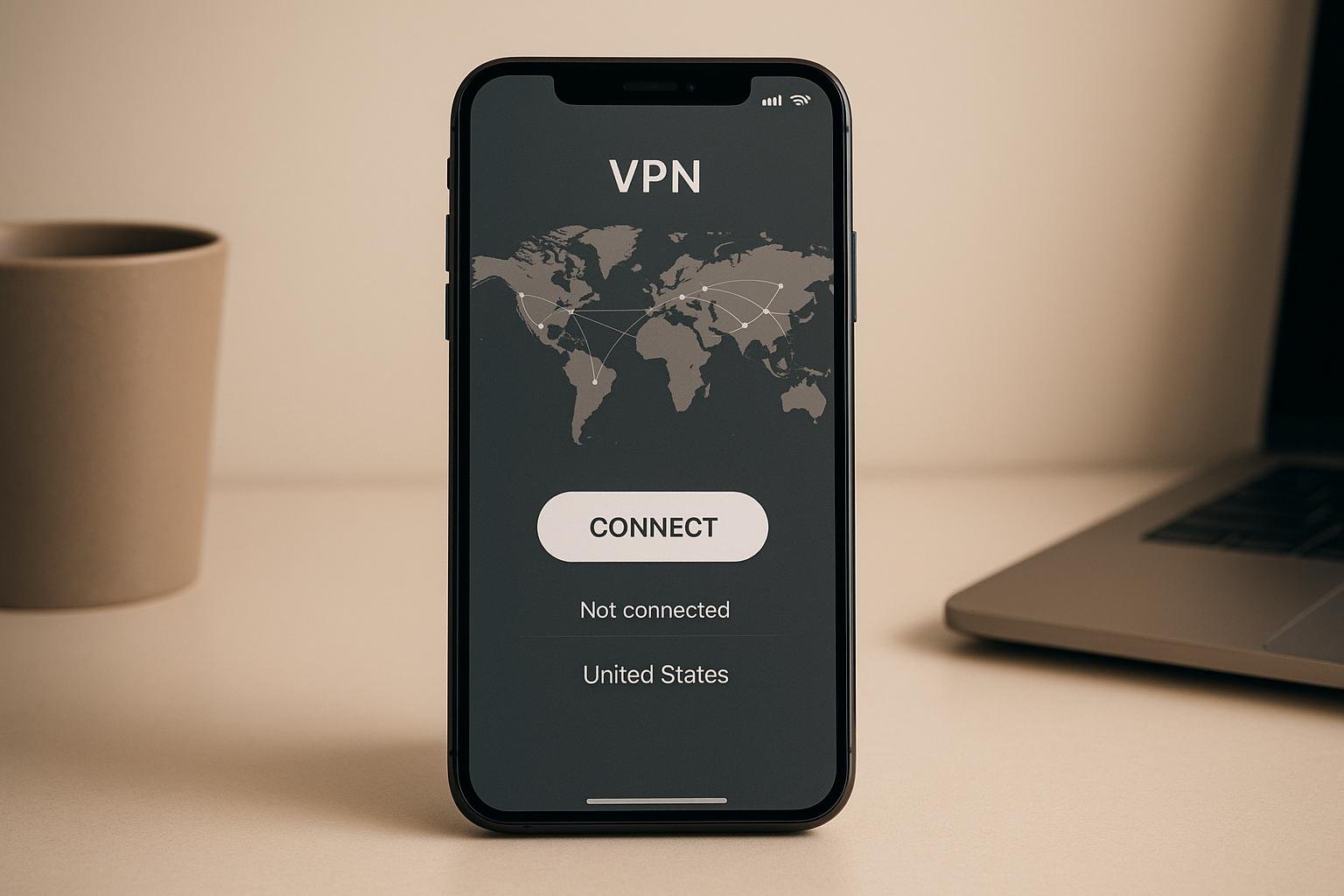
When it comes to VPNs, user interface (UI) design plays a bigger role than you might think. A good UI doesn’t just make apps look nice – it directly affects how users perceive speed, security, and reliability. In fact, poor design can lead to user frustration, abandoned apps, and even lower trust in a VPN’s performance.
Here’s what matters most in VPN UI design:
- Simplicity: Users want quick access to key features like a “Connect” button and clear server lists. Overcomplicated menus or cluttered layouts drive users away.
- Accessibility: High-contrast visuals, screen reader compatibility, and customizable settings ensure everyone can use the app easily.
- Consistency Across Devices: A VPN should feel the same whether you’re on your smartphone, tablet, or laptop. Features like account synchronization and responsive layouts make this possible.
- Real-Time Feedback: Status indicators, speed metrics, and progress bars reduce perceived delays and help users feel in control.
Top VPNs like NordVPN, Surfshark, and IPVanish excel by combining clean designs with practical features. They prioritize user satisfaction by focusing on intuitive navigation, responsive controls, and accessibility.
For U.S. users in 2025, where VPN usage has dropped from 46% in 2023 to 32%, these design elements are more important than ever. A well-designed UI not only improves usability but also builds confidence in digital security.
Mobile VPN App UI Design in Figma | Web Design Speedart Tutorial + Free .fig Project
Basic UI Design Principles for VPNs
Designing an effective VPN app hinges on three key principles that shape the user experience: simplicity, accessibility, and cross-device compatibility. These principles ensure users feel secure and supported while using the app, rather than frustrated or confused. Let’s break them down.
Clear and Simple Interfaces
The best VPN apps focus on keeping things straightforward. Users should be able to connect quickly without wading through complex menus or deciphering technical terms. A prominent “Connect” button and visually clear server lists – often marked with country flags – help users immediately understand what to do.
Take NordVPN, for example. Its map-based server selection and one-tap connection make it incredibly intuitive. Similarly, ExpressVPN embraces a minimalist design, ensuring ease of use while delivering top-tier performance.
The secret to success lies in prioritizing essential functions. Core features like connection status and server selection take center stage, while advanced settings are tucked away in collapsible menus. Visual aids, such as speed indicators and latency markers, empower users to make informed decisions without feeling overwhelmed.
CyberGhost strikes this balance well, offering an interface that’s easy to navigate while still packing powerful features. It’s often praised as a “User-Friendly VPN with Robust Features”, making it a go-to choice for everyday users.
Research also shows that VPNs with responsive “Connect” buttons and real-time feedback foster a sense of speed and reliability. While simplicity is key to usability, accessibility ensures that everyone can navigate the app effortlessly.
Accessibility and User Support
An inclusive design approach ensures VPN apps are easy to use for everyone, regardless of physical ability or technical know-how. Features like high color contrast, screen reader compatibility, and keyboard navigation make VPNs more accessible to a diverse range of users.
Adjustable font sizes help those with visual impairments read server information and connection statuses more easily. Meanwhile, descriptive icons and clear labels reduce confusion, and customizable settings let users tailor the app to their preferences.
For VPN providers operating in the U.S., ADA compliance isn’t just a legal requirement – it’s a chance to improve usability for all. Building accessibility into the design from the start avoids the pitfalls of treating it as an afterthought.
Features like tooltips and help text are invaluable for guiding new users through the app’s functionality. While seasoned users might skip these aids, they can make a world of difference for those unfamiliar with VPNs.
Cross-Device Compatibility
In today’s world, users often switch between devices – smartphones, laptops, tablets, and more – throughout the day. That’s why it’s crucial for VPN apps to offer a consistent experience across all platforms. A seamless design ensures users don’t have to relearn the app on each device.
IPVanish is an excellent example of this, offering apps that work smoothly across Windows, macOS, iOS, Android, Linux, Fire TV, and even routers. This cross-platform functionality makes it “accessible for beginners and advanced users alike”.
A responsive design ensures that the app adapts to different screen sizes without losing functionality. For instance, a server list that’s easy to navigate on a desktop should remain just as user-friendly on a smartphone, even if the layout changes.
Consistency is key. Features like favorite servers or custom settings should be available across all devices. When these elements are missing on one platform, it disrupts the seamless experience users expect. Leading VPN providers ensure that core functionality remains intact, no matter the operating system.
Account synchronization is another must-have. It allows users to carry over their connection history, preferred servers, and custom configurations across devices. This not only saves time but also builds trust by reducing setup hassles.
As more providers offer unlimited simultaneous connections, users can protect all their devices – laptops, phones, tablets, and even smart home gadgets – with a single account. By focusing on simplicity, accessibility, and consistency, VPN providers create experiences that instill confidence and deliver reliable performance across the board.
How UI Design Affects Usability and User Satisfaction
The design of a user interface (UI) plays a major role in shaping user satisfaction. When it comes to VPNs, users often judge their reliability and security based on how the interface looks and functions. A poorly designed interface can cast doubt on a VPN’s trustworthiness – even if its technical security is top-notch. This might help explain why VPN usage dropped from 46% in 2023 to 32% in 2025. Let’s explore how navigation and authentication features can enhance the user experience.
Building User Confidence Through Clear Navigation
Navigation is at the heart of a good user experience. When users can easily find features and understand their connection status, they feel more secure and in control. Features like real-time encryption updates or clear connection indicators go a long way in reassuring users about their privacy.
Simple, intuitive designs often outperform cluttered ones. For instance, replacing dropdown menus with visual elements like flags for server locations or speed indicators can streamline the experience. Surfshark exemplifies this with its straightforward navigation focus, while IPVanish ensures its apps are accessible across various platforms, catering to a diverse user base. Adding personalization options, such as saving favorite servers, further simplifies repetitive tasks and strengthens user confidence.
Authentication Features and Security Perception
Authentication systems are another critical element of UI design that impacts user trust. Features like biometric logins or multi-factor authentication provide secure and quick access, reinforcing the feeling of safety. However, these features must be thoughtfully implemented. For example, login prompts should be discreet in public settings, and alternatives should be available for scenarios where Face ID might not work – like when wearing a mask.
Users also value seamless synchronization of their settings and authentication preferences across devices, whether they’re using a laptop, smartphone, tablet, or smartwatch. This kind of integration reduces the hassle of reconfiguring settings and aligns with how people actually use technology in their daily lives. In fact, such features significantly enhance user satisfaction by offering a smooth, cohesive experience. These thoughtful UI elements don’t just build trust – they also contribute to how users perceive the overall performance of a VPN, which remains a key factor for U.S. users in 2025.
sbb-itb-e1a0769
UI Design’s Impact on VPN Performance Metrics
The way a VPN’s interface is designed doesn’t just shape how users feel about the service – it directly affects measurable performance outcomes. Studies show that users increasingly evaluate VPN performance based on how responsive the interface feels. Even a fast VPN can seem slow if the UI is sluggish or confusing. This highlights the importance of thoughtful design, which can bridge the gap between actual and perceived performance. Let’s dive into the key interface features that directly influence these metrics.
Interface Features That Impact Performance Data
Dashboard clarity plays a major role in shaping VPN performance metrics. A well-organized dashboard provides users with critical information like server load and speed, helping them choose optimal servers before connecting. This proactive design reduces connection times and enhances user experience.
Real-time connection indicators – such as speed meters, latency graphs, and server health icons – offer immediate feedback on performance. These tools empower users to monitor connection quality and switch servers as needed, ensuring smoother performance.
The responsiveness of the “Connect” button and server selection process is another key factor. When these core functions respond instantly to user input, they create a sense of efficiency and reliability, even if the actual connection time remains unchanged.
Error messages also play a vital role in the user experience. Clear and actionable error messages, paired with links to help articles or step-by-step troubleshooting guides, enable users to resolve issues quickly. This minimizes downtime and frustration, further contributing to a responsive and user-friendly design.
How UI Design Reduces Perceived Delays
Smart UI design can make connection processes feel faster, even if the actual time remains the same. Features like progress bars and animated transitions keep users engaged during connection waits, making the delays feel shorter and less frustrating.
Instant feedback mechanisms amplify this effect. For instance, when users click “Connect”, visual cues such as a “Connecting…” message or animated indicators reassure them that the process is underway. Timely and well-placed status updates also ensure users stay informed without feeling overwhelmed.
Simple vs. Complex Interface Comparison
The debate between minimal and feature-rich interfaces has a direct impact on performance and user satisfaction. Here’s a comparison of how these interface types influence key outcomes:
| Interface Type | Connection Speed | User Decision Time | Troubleshooting Efficiency | User Satisfaction | Support Tickets |
|---|---|---|---|---|---|
| Minimal UI | Fast | Quick | High | High | Low |
| Feature-Heavy UI | Variable | Slower | Moderate | Mixed | Higher |
Minimal interfaces are designed for speed and simplicity, reducing cognitive load and enabling users to connect quickly. This streamlined approach often leads to higher satisfaction and fewer support tickets.
On the other hand, feature-heavy interfaces cater to advanced users who value customization and control. However, these interfaces can overwhelm casual users, leading to slower decision-making and increased frustration. To strike a balance, advanced features can be tucked away in collapsible menus or accompanied by intuitive tooltips, keeping the interface functional yet approachable.
Cloud Explorer‘s 2025 reviews highlight how top VPNs like NordVPN, Surfshark, and ExpressVPN have mastered this balance. Their dashboards combine simplicity with essential features like real-time speed indicators and effective troubleshooting tools, resulting in higher satisfaction and better performance ratings.
Ultimately, cluttered interfaces can slow users down during server selection, increasing connection times and reducing overall satisfaction. When navigation becomes a chore, users are more likely to abandon the process or choose suboptimal servers, directly diminishing their VPN experience.
Case Studies: Top VPN Interface Designs in 2025
Cloud Explorer’s analysis of six leading VPNs showcases how their interface designs boost user experience and performance. These examples highlight how thoughtful UI elements can lead to measurable improvements, especially for users in the U.S.
Advanced UI Features in Leading VPNs
NordVPN stands out with its intuitive, map-based server selection. This feature allows users to visualize global server locations while real-time status indicators provide instant updates. The quick-connect button is highly responsive, making it easy to connect with a single tap. Advanced features like Double VPN and Onion Over VPN are tucked neatly into collapsible menus, keeping the main interface clean and functional, while still catering to power users.
ExpressVPN emphasizes simplicity with a minimalist design. Its app features a prominent connect button, clear visual indicators for connection strength, and real-time metrics for speed and latency during server selection. This straightforward approach ensures ease of use while maintaining essential functionality.
Surfshark enhances usability with swipeable server lists and personalized server recommendations. Its one-click connect feature, combined with seamless multi-device synchronization, ensures user preferences are consistent across platforms. The dashboard is clean and organized, with color-coded indicators showing connection status, server load, and security features like ad blocking and MultiHop connections.
CyberGhost focuses on accessibility for everyday users. Its interface includes filters for streaming and gaming servers, complete with visual load indicators to help users find the best connections. A server network display, featuring flags and speed indicators, simplifies the selection process for beginners.
Private Internet Access (PIA) offers a graphical interface for Linux users, removing the need for command-line navigation. Customizable encryption settings are supplemented with tooltips and concise explanations, making it approachable for both novices and advanced users. Detailed connection logs and clear privacy indicators further enhance user confidence.
IPVanish provides apps across multiple platforms, including Windows, macOS, iOS, Android, Linux, Fire TV, and routers. Its interface features real-time connection graphs and device management tools, offering immediate performance feedback. By using progressive disclosure, advanced features are revealed only when needed, ensuring ease of use for beginners and flexibility for experienced users.
U.S.-Specific Design Considerations
These VPNs also incorporate design elements tailored to American users, addressing cultural norms and regulatory needs. Pricing is displayed in U.S. dollars, such as NordVPN starting at $3.39/month, Surfshark at $2.19/month, and ExpressVPN at $8.32/month. Date and time follow the MM/DD/YYYY format, and speed measurements are shown in Mbps, aligning with familiar U.S. standards.
To further cater to American users, interfaces prominently feature U.S. server locations and include labels for streaming-optimized servers. For instance, ExpressVPN and CyberGhost clearly highlight servers designed for popular American streaming platforms, using visual cues and dedicated categories.
These VPNs also prioritize straightforward navigation and plain language. Features are labeled in easy-to-understand terms, and support options are readily available through visible help buttons and integrated chat widgets. Cloud Explorer’s reviews consistently praise these VPNs for balancing advanced functionality with user-friendly designs tailored to American preferences. This thoughtful approach enhances both usability and overall performance, making these VPNs feel intuitive and effective for U.S.-based users.
Conclusion: UI Design Impact on VPN Performance
Studies show that the design of a VPN’s user interface (UI) plays a major role in building user trust, encouraging retention, and shaping how secure users feel. While strong encryption is non-negotiable, users often judge reliability based on an interface’s usability. Clear visual indicators – like connection and encryption status – help users feel in control. On the flip side, a poorly designed UI can frustrate users, leading to decreased engagement and higher dropout rates. Essentially, trust starts with the design.
Interestingly, how fast and responsive a UI feels can matter more to users than some technical performance metrics. A snappy, intuitive interface minimizes the perception of delays, which boosts satisfaction, reduces support tickets, and keeps users coming back.
For VPN developers, simplifying the UI is key. Features like prominent connect/disconnect buttons, real-time connection feedback, and easy-to-use server selection with visual aids make a big difference. Advanced settings should be tucked into collapsible menus for those who need them, and the interface should feel consistent across devices. Gathering and acting on user feedback is equally important. These strategies are particularly relevant as U.S. VPN usage is projected to decline from 46% in 2023 to 32% in 2025, signaling the need for providers to innovate in user experience.
For users, finding a VPN with a clean, straightforward interface is crucial. Look for features like clear connection and security indicators, effortless server selection, and responsive customer support. Personalization options and interfaces designed with U.S. user preferences in mind are also worth prioritizing. Resources like Cloud Explorer provide in-depth reviews to help users identify VPNs that balance advanced capabilities with ease of use.
Ultimately, a well-thought-out UI doesn’t just improve usability – it fosters a sense of security, builds trust, and helps VPN providers stand out in a crowded market. By focusing on user-friendly design, VPN companies can reduce costs, increase retention, and position themselves for long-term success.
FAQs
How does a simple user interface enhance VPN performance and user experience?
A straightforward and well-thought-out user interface (UI) can make a big difference in how users experience a VPN. When key features are easy to find and use, frustration fades, and satisfaction increases. Whether it’s connecting to the service, switching servers, or tweaking settings, a clean and simple design ensures users can navigate without hassle.
On top of that, a streamlined UI helps eliminate distractions, making the VPN feel quicker and more responsive. This kind of intuitive design lets users focus on what matters – secure browsing or streaming – without getting bogged down by confusing menus or clutter. In short, keeping the UI simple and user-friendly makes the VPN easier to use and more enjoyable for everyone.
What UI design features can make VPNs more accessible for users with disabilities?
UI design plays a vital role in making VPNs accessible to everyone, including individuals with disabilities. To achieve this, certain features are essential:
- Screen reader support: Ensuring the interface integrates smoothly with screen readers, making it usable for visually impaired users.
- Keyboard-friendly navigation: Allowing users to operate the VPN entirely with a keyboard, eliminating the need for a mouse.
- High-contrast options: Offering color schemes with strong contrast to aid users with limited vision.
- Adjustable text size: Giving users the ability to resize fonts for improved readability.
Including these features helps VPN providers deliver a more inclusive and seamless experience for all users.
Why is it important for VPN apps to work seamlessly across multiple devices, and how does this impact user experience?
Cross-device compatibility allows users to protect all their devices – whether it’s a smartphone, laptop, or tablet – using just one VPN account. This makes managing accounts easier while ensuring consistent security across all platforms, creating a smoother and more reliable experience.
By working effortlessly across different devices, VPN apps address the varied needs of users, offering both convenience and flexibility. This is especially valuable for households or individuals juggling multiple devices for work, streaming, or everyday tasks, making their online experience safer and simpler.