If you’re still using FTP in 2026, you’re putting your data at risk. FTP is outdated, insecure, and fails to meet modern compliance standards. It sends files and passwords in plain text, making it easy for hackers to intercept sensitive information. Luckily, cloud storage solutions like Google Drive, OneDrive, and Dropbox offer safer, more efficient ways to transfer files. Combine these tools with a VPN to secure your access on public Wi-Fi, and you’ll eliminate many vulnerabilities tied to traditional file transfer methods.
Key Takeaways:
- FTP Risks: Exposes data and credentials due to lack of encryption.
- Cloud Storage Benefits: Offers encryption, real-time collaboration, and better control over file sharing.
- Top Cloud Options: Google Workspace (business), Dropbox (small teams), and NAS systems (self-hosted).
- Public Wi-Fi Threats: Hackers can intercept data via insecure networks or fake hotspots.
- VPN Protection: Encrypts your connection, preventing session hijacking and data theft.
Quick Comparison of VPNs for Secure Cloud Access:
| VPN Service | Starting Price | Device Limit | Key Features |
|---|---|---|---|
| NordVPN | $3.39/month | 10 devices | Double VPN, NordLynx, Kill Switch |
| Surfshark | $2.19/month | Unlimited | MultiHop, WireGuard, Split Tunneling |
| IPVanish | $2.19/month | Unlimited | SOCKS5 proxy, fast speeds for large files |
| ExpressVPN | $8.32/month | 8 devices | Lightway protocol, P2P support |
| Private Internet Access | $2.03/month | Unlimited | Port forwarding, open-source apps |
| CyberGhost | $2.19/month | 7 devices | NoSpy servers, streaming optimization |
Switch to cloud storage and protect your access with a VPN to keep your data secure in today’s digital landscape.
Modern Cloud Storage Solutions to Replace FTP
Switching from FTP to modern cloud storage opens the door to secure, flexible, and user-friendly options. Unlike traditional FTP methods, cloud storage platforms like Google Drive, OneDrive, and Dropbox offer advanced encryption, granular access controls, and zero server maintenance. These platforms protect files during transfer with TLS encryption and at rest with AES-256 encryption, ensuring robust security measures.
Cloud storage doesn’t just replace FTP – it surpasses it. Features like real-time collaboration, version history, mobile access, and automated backups make cloud storage far more versatile. Sharing controls are no longer limited to a simple “on or off” setup. You can now restrict access by email, set expiration dates for shared links, or instantly revoke permissions when a project wraps up. These capabilities cater to both business needs and personal use.
Cost is another area where cloud solutions shine. Managed File Transfer platforms designed for enterprise use can cost upwards of $10,000 annually. In contrast, cloud storage offers comparable security and better usability at a fraction of the cost. For those who need the benefits of cloud storage but prefer to keep data on their own hardware, self-hosted NAS systems now support cloud-like protocols, combining local control with modern functionality.
“The line between FTP, SFTP, and cloud storage is quickly disappearing. In the near future, file transfer tools will need to support hybrid workflows, end-to-end encryption, and multi-cloud orchestration.”
– Vlad Fedoniuk, Founder of FTPie
Google Workspace for Business File Sharing
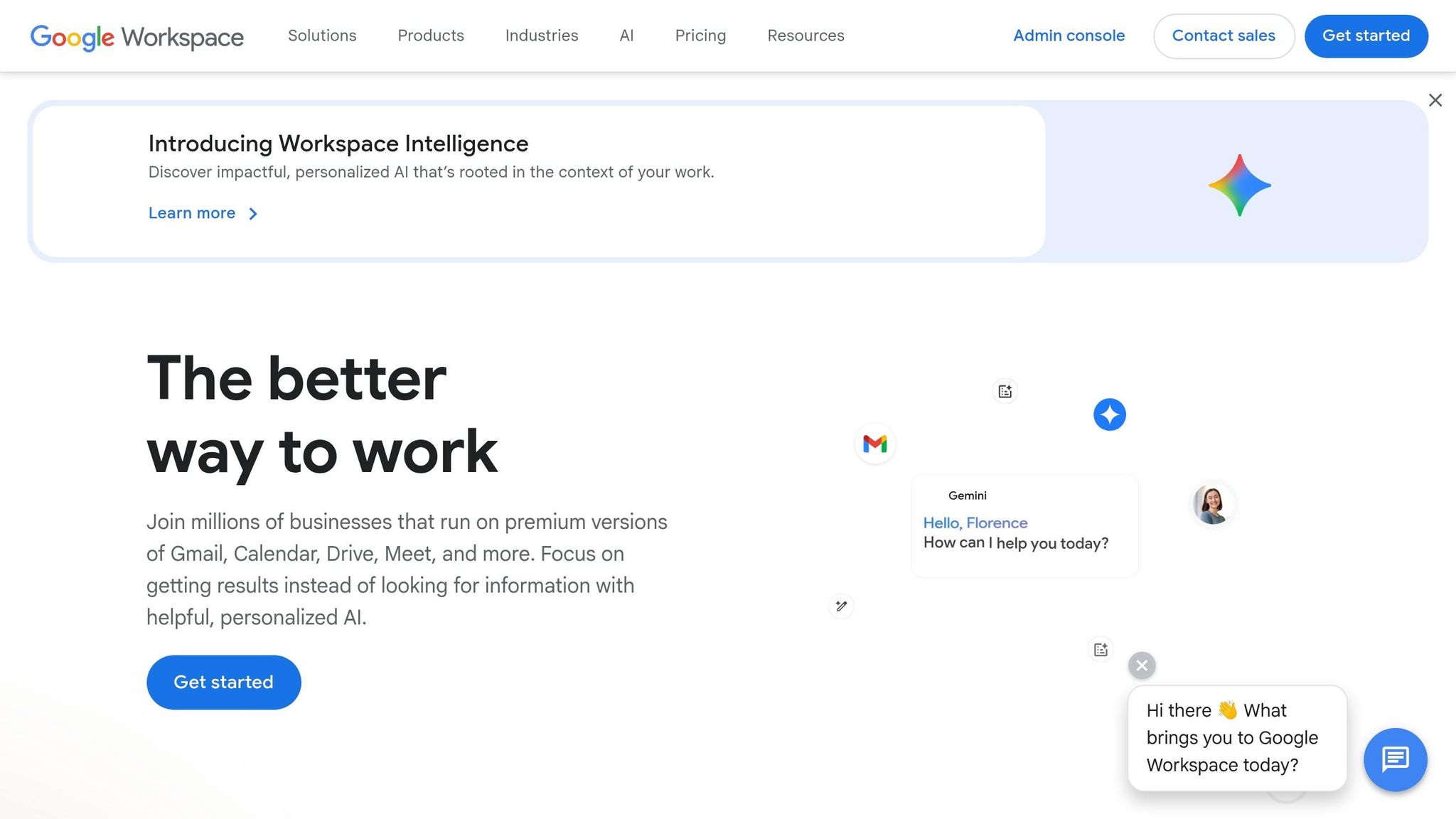
Google Workspace provides a secure and collaborative environment for businesses transitioning away from FTP. Files are encrypted during transfer and while stored, and access can be controlled down to the individual email level. Teams can collaborate on documents in real time, track edits through version history, and work seamlessly across both desktop and mobile devices. For added security, you can set expiration dates on shared links and limit access by domain, preventing accidental data exposure. These features make Google Workspace a powerful tool for businesses with strict security and collaboration needs.
Dropbox for Individual and Small Team Use
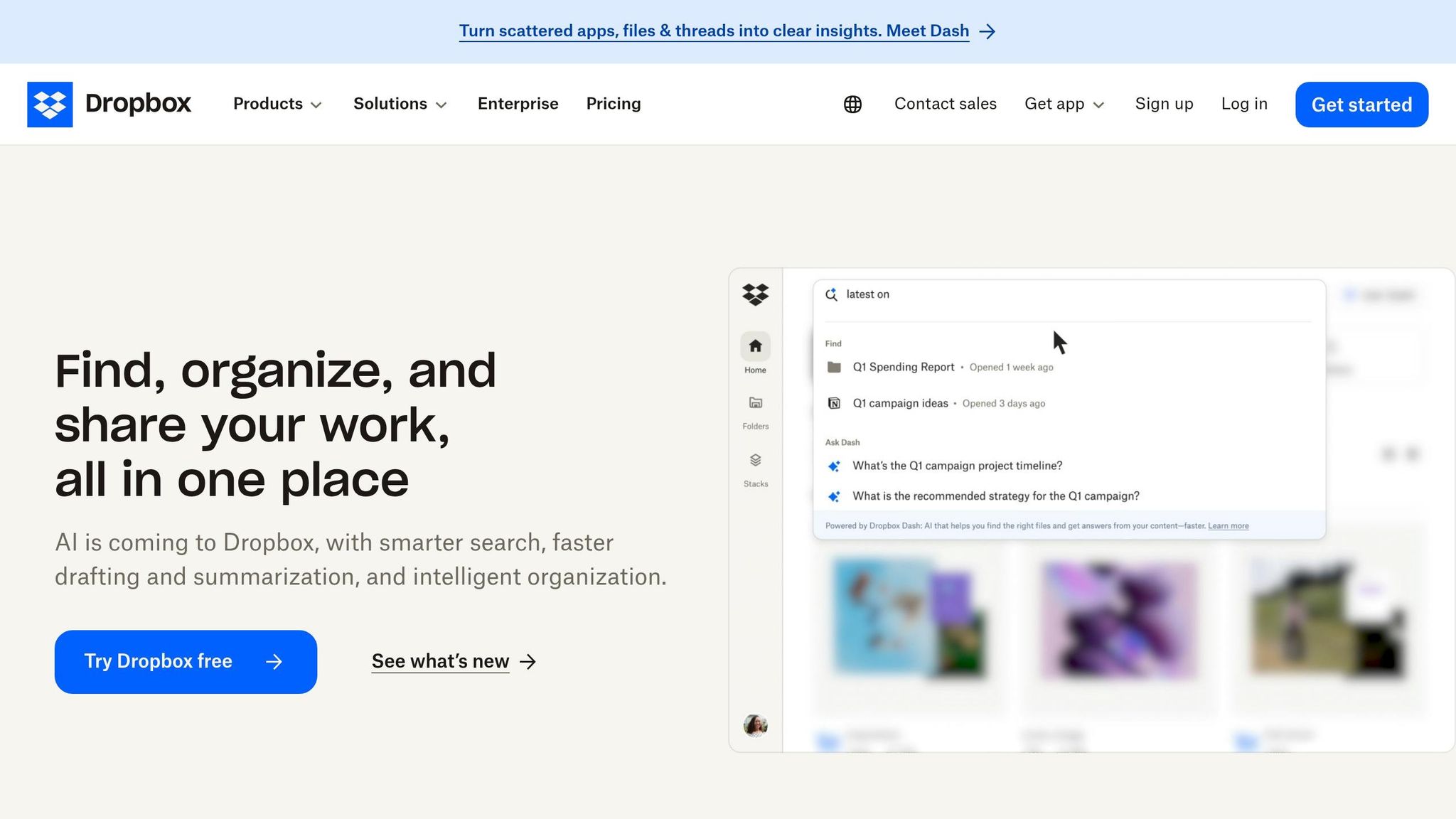
Dropbox is an excellent choice for individuals and smaller teams, offering automatic file syncing and easy sharing options. Files are safeguarded with AES-256 encryption at rest and TLS during transfer. Dropbox’s simplicity is a key advantage – just drag and drop files into your folder, and they’re instantly synced across all devices. Sharing is straightforward too, with options to invite specific people to a folder or create password-protected links for secure, one-time transfers. This ease of use, paired with strong encryption, makes Dropbox a practical and secure alternative to FTP.
Self-Hosted NAS Systems for Complete Data Control
For those who prefer full control over their data, network-attached storage (NAS) systems offer a compelling option. These systems allow you to create a private cloud, keeping all files on hardware you own while still supporting remote access through secure protocols. Modern NAS devices now integrate cloud protocols, giving you the convenience of a self-managed cloud experience without relying on third-party servers. This approach combines the security of local storage with the flexibility of modern file-sharing methods.
While these cloud storage solutions significantly enhance file security and usability, ensuring safe access to them remains a critical consideration.
sbb-itb-e1a0769
The Security Risks of Public Wi-Fi Networks
Moving your files to cloud storage can make them safer, but using public Wi-Fi to access them opens up a whole new set of risks. Public Wi-Fi networks, like those in coffee shops or airports, don’t provide a secure environment. This lack of protection means anyone on the same network can monitor your activity using basic tools like packet sniffers. Even though cloud storage encrypts your files, insecure local networks can still expose sensitive data during your active sessions.
One of the most dangerous threats on public Wi-Fi is the Evil Twin attack. Hackers create fake hotspots with names that resemble legitimate ones – like “Starbucks_Guest” instead of “Starbucks Guest” – to lure users into connecting. Once connected, these attackers can intercept login credentials, hijack your sessions, or steal “Anyone with the link” sharing URLs. As Norton explains, “By doing so, you risk connecting to an ‘evil twin’ network set up by cybercriminals to access your internet traffic”.
These risks are more common than you might think. About 60% of internet users worldwide have accessed personal email accounts on public Wi-Fi, and 1 in 5 people have fallen victim to cybercrime while using these networks. Even on legitimate networks, attackers can exploit vulnerabilities to hijack sessions or steal sharing links, potentially exposing sensitive documents.
The growing use of identity-first security highlights how critical these issues have become. By 2026, this approach has become a priority, driven by the fact that 94% of businesses reported phishing attacks in 2024, many of which stemmed from compromised network communications. The old model of securing a physical office perimeter is outdated when your “office” is wherever you open your laptop. Public Wi-Fi has become a weak point, which is why Zero Trust Architecture assumes no network can be trusted by default. These vulnerabilities make encrypted connections essential for public Wi-Fi use.
While cloud storage encrypts your files both in transit and at rest, it can’t protect you if an attacker hijacks your session or steals your credentials on an unsecured network. Using a VPN can help by creating an encrypted tunnel for all your cloud traffic, adding a critical layer of security.
How VPNs Protect Your Cloud File Access
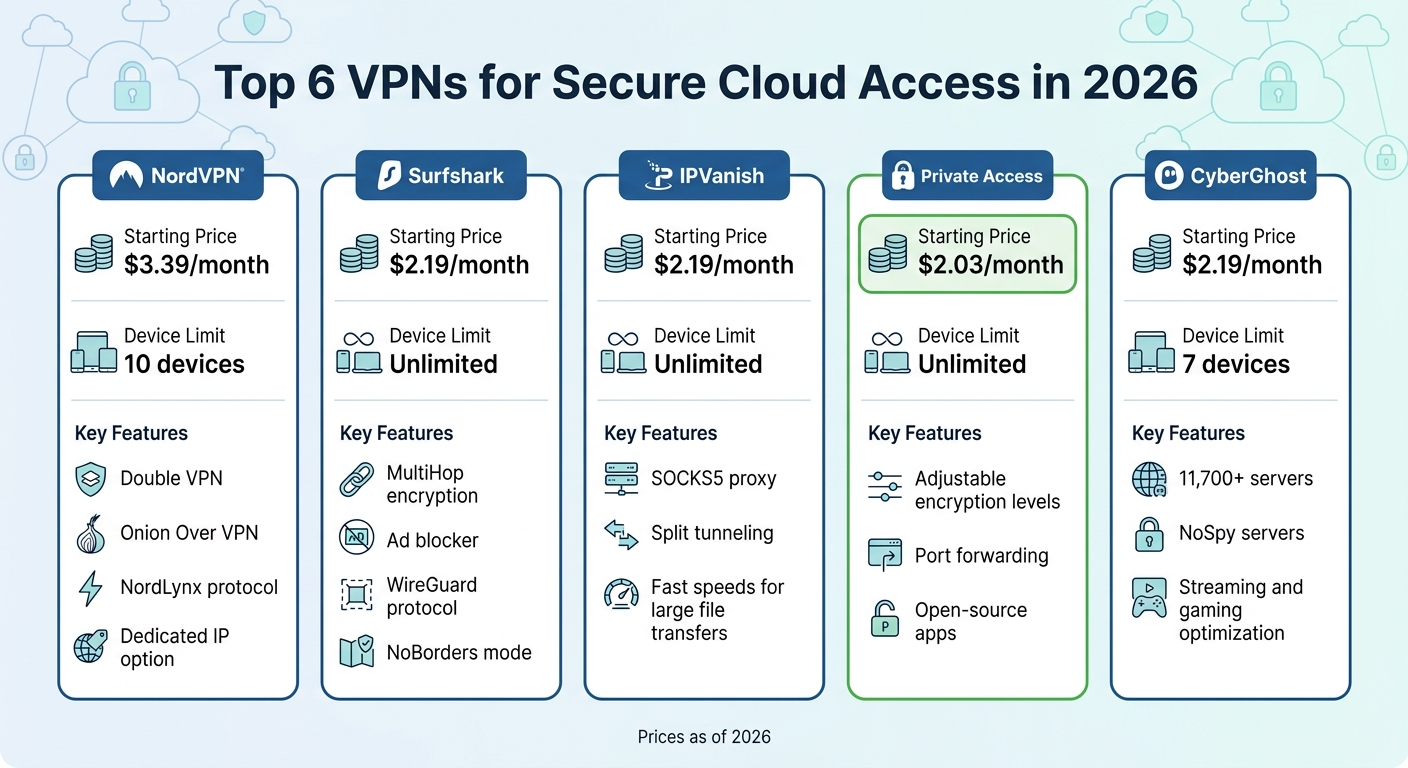
VPN Comparison for Secure Cloud Access 2026
A VPN works by creating an encrypted tunnel that scrambles your data, making it unreadable to anyone trying to intercept it. For example, when you use services like Google Workspace or Dropbox through a VPN, even if a hacker gains access to the public Wi‑Fi you’re on, all they’ll see is scrambled data – not your login details or files. This encryption is especially important for preventing “digital shoulder surfing”, where attackers spy on your network activity. If you’re accessing cloud storage on public Wi‑Fi, this encryption acts as a crucial defense against the risks of compromised networks.
Most modern VPNs rely on AES-256 encryption, a standard trusted even by the U.S. government. Beyond encryption, VPNs also hide your real IP address by assigning you one from their server network, making it hard for anyone to track your activity. Features like a Kill Switch add another layer of safety by disconnecting your internet if the VPN connection drops, ensuring no data leaks during cloud transfers. Additionally, split tunneling allows you to route sensitive traffic through the VPN while leaving other activities unaffected. For the best combination of security and speed, protocols like OpenVPN and WireGuard are highly recommended.
“Using public Wi‑Fi without a VPN is like shouting your passwords across a crowded room. With a VPN, you’re whispering in a soundproof booth.” – Brett Cruz, Privacy and Digital Security Expert, Security.org
With cybercrime losses surpassing $16 billion in 2024, it’s wise to test your VPN setup before transferring files. Run DNS and WebRTC leak tests to ensure your connection is fully secure.
Top 6 VPNs for Secure Cloud Access
Here’s a quick comparison of the top VPNs designed for secure cloud usage. Depending on what you need – be it device compatibility, advanced security options, or affordability – these VPNs have you covered.
| VPN Service | Starting Price | Device Limit | Key Security Features |
|---|---|---|---|
| NordVPN | $3.39/month | 10 devices | Double VPN, Onion Over VPN, NordLynx protocol, dedicated IP option |
| Surfshark | $2.19/month | Unlimited | MultiHop encryption, ad blocker, WireGuard protocol, NoBorders mode |
| IPVanish | $2.19/month | Unlimited | SOCKS5 proxy, split tunneling, fast speeds for large file transfers |
| ExpressVPN | $8.32/month | 8 devices | Proprietary Lightway protocol, split tunneling, P2P support |
| Private Internet Access | $2.03/month | Unlimited | Adjustable encryption levels, port forwarding, open‑source apps |
| CyberGhost | $2.19/month | 7 devices | 11,700+ servers, NoSpy servers, streaming and gaming optimization |
How to Set Up NordVPN for Cloud File Transfers
To use NordVPN for secure cloud transfers, start by installing the app and logging in. In the settings, choose NordLynx for faster file transfers, or go with OpenVPN if you need maximum security. NordLynx, built on WireGuard technology, offers an ideal balance between speed and encryption for syncing cloud files.
For extra safety, enable the Double VPN feature. This adds another encryption layer, which is particularly useful when transferring sensitive files over risky networks like airport Wi‑Fi. While it might slightly reduce your speed, the added security is worth it. Don’t forget to activate the Kill Switch to ensure your internet connection shuts down if the VPN disconnects, preventing accidental exposure of your data.
How to Use Surfshark Across Multiple Devices
Surfshark allows you to secure all your devices under one account. Install it on each device, then enable MultiHop for added encryption by routing your connection through two different countries. You can also set up split tunneling to ensure that cloud apps like Google Drive and Dropbox use the VPN while other apps bypass it. For example, you could route your connection from the Netherlands to Singapore, making it nearly impossible for anyone on your local Wi‑Fi to trace your activity.
If you’re using Android or Windows, go to Surfshark’s settings, find the “Split Tunneling” option, and select which apps need VPN protection. This setup ensures your cloud file transfers remain secure while letting you use other apps without interruptions.
Conclusion
Switching to cloud storage can enhance your file security, but it’s equally important to secure how you access those files. Moving away from FTP is a step in the right direction, but it doesn’t completely eliminate risks. Accessing your files over public Wi-Fi – like at a coffee shop or airport – can expose you to potential threats.
“If you’ve been on plain FTP this long, you’ve basically been driving around with no seatbelt and bald tires.” – ViaggiatoreSolare
Using a VPN adds a critical layer of protection. It encrypts your connection, safeguarding your credentials, files, and session data. This works alongside your cloud provider’s security to shield you from threats like packet sniffers or Evil Twin attacks. Without a VPN, your connection remains a weak link in your security chain.
Once your connection is secured with a VPN, take proactive steps to strengthen your data workflow. Start by auditing your setup and identifying the three most sensitive file transfers in your process – this could include client data, financial documents, or proprietary files. Ensure these are protected with both cloud encryption and a VPN. Regularly review sharing permissions and revoke access for completed projects or former collaborators. Remember, even the most secure cloud storage is only as strong as its access controls.
Looking to lock down your cloud collaboration? Begin by choosing a reliable VPN. Check out our 2026 Guide to the Top 5 VPNs for Remote Work and Cloud Access to find the best fit for your needs.
FAQs
Is SFTP still safe in 2026, or should I move to cloud storage?
SFTP continues to be a trusted and secure option in 2026, particularly for automated processes or workflows that need consistency. That said, shifting to cloud storage can offer better collaboration and accessibility. To maintain security during this transition, it’s important to adopt strong practices, such as using a VPN to ensure safe access. This combination provides encrypted transfers and safeguards your data against risks on unsecured networks.
Which cloud storage option is best for my use case (business, small team, or self-hosted NAS)?
When it comes to choosing the best cloud storage, it all boils down to your specific needs. If you’re running a business or managing a small team, Google Drive and Dropbox are excellent options. They provide strong encryption, seamless collaboration tools, and eliminate the hassle of managing infrastructure.
For handling large datasets or working with legacy systems, secure FTP options like SFTP remain a reliable choice. On the other hand, if privacy and control are your top priorities, a self-hosted NAS system might be the way to go.
Ultimately, your decision should align with your priorities – whether that’s security, ease of collaboration, or managing infrastructure.
Do I still need a VPN if my cloud storage uses HTTPS encryption?
Absolutely. Using a VPN is a smart move when accessing cloud storage over public Wi-Fi. While HTTPS does encrypt the data traveling between your device and the cloud server, it doesn’t shield your entire internet connection from potential threats like packet sniffers or rogue networks often found on public Wi-Fi.
A VPN adds an extra layer of security by encrypting all your internet traffic. This means that even if the local network is compromised, your data remains safe and out of reach from prying eyes.